Your front desk answers the phone. Your clinical team delivers care. But before any of that happens, a potential patient opens Google, types “[your specialty] near me,” and makes a split-second decision about who to call — based almost entirely on what they see in the next three seconds.
That three-second window belongs to your Google Business Profile (GBP). For most private practices, it’s the most under-optimized asset in their entire medical marketing strategy — and it’s completely free.
What Google Business Profile Actually Does for a Medical Practice
Google Business Profile is the panel that appears when someone searches for your practice by name — or discovers you through a local specialty search. It shows your address, phone number, hours, patient reviews, photos, and whether you’re accepting new patients.
Think of it as your practice’s digital front door. Before anyone visits your website, they’ve already read your GBP listing.
The data backs this up. According to Google’s own research, businesses with complete profiles are 2.7x more likely to be considered reputable and 70% more likely to attract location visits. For a medical practice, a “location visit” is a new patient appointment.
Most practices claim their profile, fill in the basics, and forget it. That’s the gap — and it’s costing them patients to competitors who pay more attention.
The Six Profile Elements That Determine Whether You Show Up First
Not all GBP fields carry equal weight. Here’s where to focus your time:
- Business Category (Primary + Secondary) Your primary category signals to Google exactly what kind of practice you run. “Physician” is too broad. If you’re a cardiologist, select “Cardiologist.” If you’re a dermatologist who also offers cosmetic procedures, add “Medical Spa” or “Cosmetic Surgeon” as a secondary category. Specificity wins.
- Services Section Google lets you list individual services with descriptions. Most doctors skip this entirely. A physical therapist who lists “ACL rehabilitation,” “post-surgical recovery,” and “dry needling” will show up in more targeted searches than one whose profile simply says “physical therapy.”
- Business Description You get 750 characters. Use them. Include your specialty, the conditions you treat, and a geographic reference. Don’t write marketing copy — write the paragraph a prospective patient would want to read before deciding to call.
- Photos — Updated Regularly Practices with more than 100 photos receive significantly more calls than those with fewer than 10, per Google’s benchmarks. This doesn’t mean 100 photos on day one. It means your profile should be a living record of your practice: your team, your facility, your equipment. Fresh photos signal an active, trustworthy clinic.
- Q&A Section Google lets anyone ask — and anyone answer — questions on your profile. That includes people who’ve never set foot in your office. Seed this section yourself with the questions your staff actually fields: “Do you take [insurance]?” “Is parking available?” “What should I bring to my first appointment?” Answer them accurately before someone else does.
- Google Posts Posts are short updates that appear directly on your profile. They expire every seven days, which is exactly why most practices post once and disappear. A practice that publishes weekly Google Posts about seasonal services, health topics, or new providers signals to Google — and to patients — that it’s actively managed. That consistency compounds over time.
The Review Strategy That Follows Healthcare Rules
Online reviews are the single most influential factor in a patient’s decision to choose one provider over another. A 2024 survey by Software Advice found that 77% of patients use online reviews as the first step in finding a new doctor. That’s not a marketing metric — it’s your intake funnel.
Healthcare advertising standards create real constraints here. You can’t incentivize reviews. You can’t respond to reviews in ways that confirm or deny a patient relationship — that’s a HIPAA concern. And you can’t fabricate them.
Here’s what you can do, ethically and effectively:
- Ask patients verbally at checkout, after a positive interaction, if they’d be willing to share their experience online.
- Use a QR code at the front desk or on discharge paperwork that links directly to your GBP review page — no instructions, just a link.
- Respond to every review. For negative ones, keep responses brief, empathetic, and generic: “Thank you for your feedback. We take patient concerns seriously and encourage you to contact our office directly.” Never confirm the person was a patient.
- Train your front desk. A three-second verbal ask from a medical assistant carries more weight than any automated email.
Volume matters, but recency matters more. Google weighs recent reviews heavily in its local ranking algorithm. Aim for a consistent stream, not a burst.
How GBP Fits Into Your Broader Local Search Strategy
Your Google Business Profile doesn’t operate in a silo. It directly amplifies your other marketing investments.
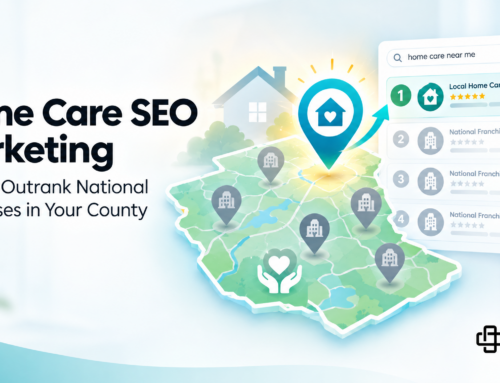
Your medical SEO efforts benefit from GBP signals — Google factors your profile’s completeness, review velocity, and engagement into local pack rankings. The practices that appear in the top three local results (the “map pack”) typically have both strong on-site SEO and a well-maintained GBP.
Your paid search campaigns are also connected. Google’s Local Services Ads pull directly from GBP data. A complete, well-reviewed profile improves your ad quality score, which affects both placement and cost-per-click. A GBP you ignore quietly increases what you pay for ads.
And if a patient visits your profile, reads your reviews, and wants to learn more — your medical website needs to be ready to convert them. A slow, outdated, or mobile-unfriendly site breaks the chain right at the finish line.
Frequently Asked Questions
Q: My practice already has a GBP listing. Is there anything else I need to do? Claiming the profile is step one. An unclaimed or bare-bones profile actively hurts you — Google ranks complete, recently updated profiles above stale ones. Treat your GBP like a service page: it needs regular updates, fresh photos, new reviews, and accurate hours (especially around holidays). A profile you haven’t touched in a year will perform like it.
Q: Can I have multiple GBP profiles if I have more than one location? Yes — and you should. Each practice location needs its own GBP listing with location-specific information, photos, hours, and review solicitation. Managing multiple locations under a single listing dilutes your local search performance in each service area. If your practice operates in two cities, those are two separate local search markets.
Q: How is GBP different from other directory listings? GBP is Google’s own ecosystem — it directly controls what appears in Google Search and Google Maps, which is where the overwhelming majority of patient searches happen. Other medical directory listings matter for overall local SEO authority, but GBP is the one that most directly affects whether you appear in the local map pack.
Your Google Business Profile Is Patient Acquisition — Treat It That Way
A Google Business Profile isn’t a checkbox. It’s often the first and only thing a prospective patient sees before deciding whether to call you or the practice down the street. Treating it as a one-time setup means handing those patients to competitors who pay attention to it.
The good news: most private practices don’t manage this well. That creates a real, measurable opportunity for practices that do.
If you want to know exactly where your online presence is losing patients to local competitors — including gaps in your GBP, your review volume relative to nearby providers, and your local search rankings — we can walk you through it.We focus on growing your medical practice so you can focus on caring for your patients. Contact our 100% USA-based team today to request a comprehensive local presence audit. No pressure. Just data.